


How to Log Into Facebook with Cookies
How to Log Into Facebook with Cookies: c_user and xs
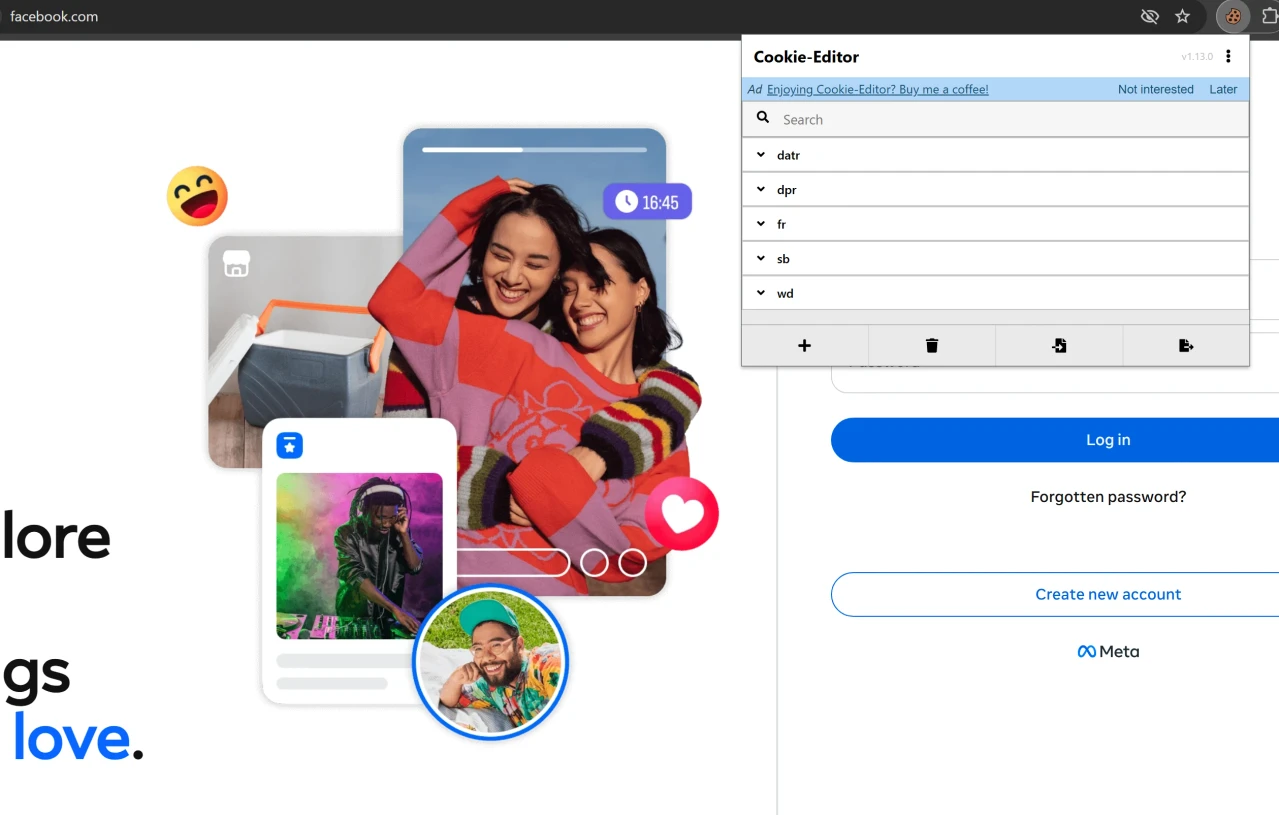
Logging into Facebook with cookies is common among those who work with ads, multi-account management and testing. The platform ties sessions to the browser fingerprint and actively checks new logins, so cookies are the most reliable way to keep a session alive when switching devices. Facebook accounts usually come with a cookies.json file: all you have to do is load it into the browser. Here are two methods to log in with cookies.
If you need ready-made Facebook accounts with working cookies for ads or testing, you can find them at zfxshop.biz.
What comes with an account
The cookies.json file is a list of all Facebook cookies needed for login. The main ones are c_user and xs; datr and other service cookies may also be included. Nothing to type manually: you just load the file into the browser.
cookies.json file bundled with a Facebook account
Method 1: Login via Cookie Editor
1. Install the Cookie Editor extension from the Chrome Web Store or Firefox Add-ons.
2. Open facebook.com. You do not need to sign in. If you are already logged into another account, log out first.
3. Click the Cookie Editor icon in your browser toolbar.
4. Click Import and paste the contents of the cookies.json file.
5. Click Save.
6. Refresh the page (F5). If the cookies are valid, you will be logged in without a password or 2FA.
If Facebook shows the login screen or asks for confirmation, the browser fingerprint is probably very different from the original. In that case, use an antidetect browser configured for the original profile.
Method 2: Login via DevTools
1. Open facebook.com and press F12.
2. Go to the Application tab.
3. In the left menu, choose Cookies and then https://www.facebook.com.
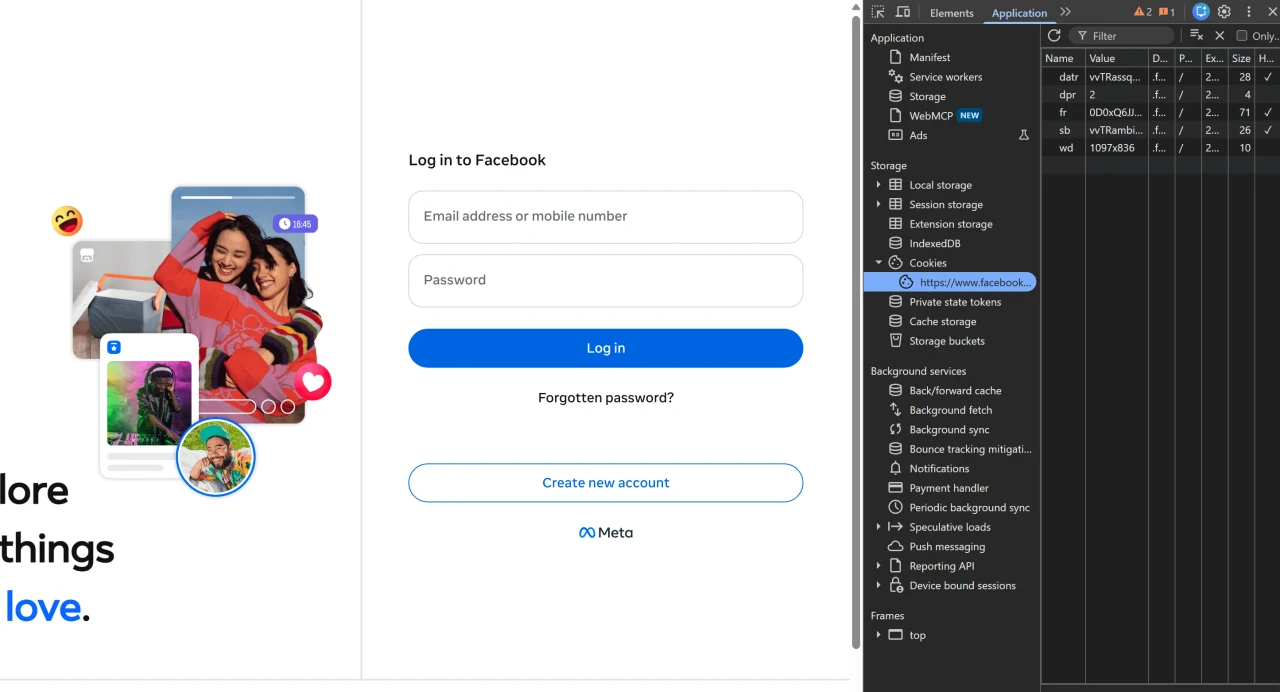
4. If old cookies are already there, remove them: right-click and choose Clear.
5. Add cookies from the file manually: right-click the list, choose Add and enter the name and value from cookies.json. Repeat for each row.
6. Refresh the page (F5). The session will be picked up.
If the file contains many cookies, Cookie Editor is faster.
Why login may fail
Cookies are outdated. If the session was reset, you need a new cookies file.
Wrong domain. In Cookie Editor the Domain field must be .facebook.com.
IP mismatch. Facebook strictly tracks login locations. Without a proxy in the original country, a check or block is possible.
Fingerprint mismatch. Facebook may ask for confirmation if the fingerprint is very different from the original.
Security
Facebook cookies are a password-plus-key pair. Anyone who has the cookies file can log into the account without a password or 2FA. Do not share it, do not paste it on untrusted sites, and do not store it in plain text. If you suspect a leak, change your Facebook password: this resets all active sessions.
Conclusion
Logging into Facebook with cookies is a reliable way to authorize when working with several accounts and ad accounts. If you do not have your own cookies, ready-made Facebook accounts with working sessions can be found at zfxshop.biz.