


How to Log Into Telegram with tdata on macOS: Step-by-Step Guide
How to Log Into Telegram with tdata on macOS: Step-by-Step Guide
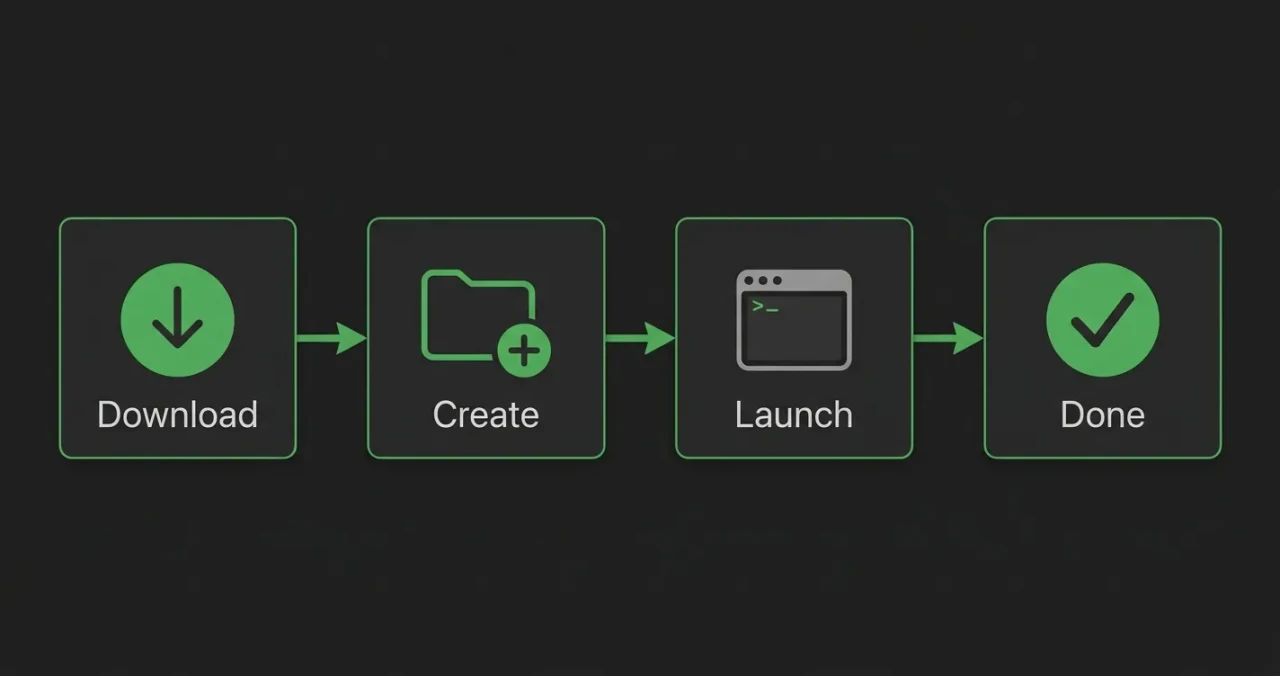
Four steps from download to logging into the account
Moving a Telegram account to a Mac through the tdata folder is a way to log in without a confirmation code or password. Session data is already encrypted inside the folder, so the system treats the new login as a continuation of work on another device. Here is how to prepare Telegram Desktop on macOS, where to place the tdata folder and what to do if the login does not go through.
If you need ready-made accounts in tdata format for work or testing, you can find them at zfxshop.biz. It saves time on sign-up and warm-up.
What tdata is and why this works
TDATA is the folder where Telegram Desktop stores authorization keys and session data. It is created automatically on the first login. Inside, the files are encrypted, so the folder can be moved to another computer or system without re-entering the SMS code.
The key condition: the new device must have exactly Telegram Desktop. The mobile app or the web version does not work with tdata.
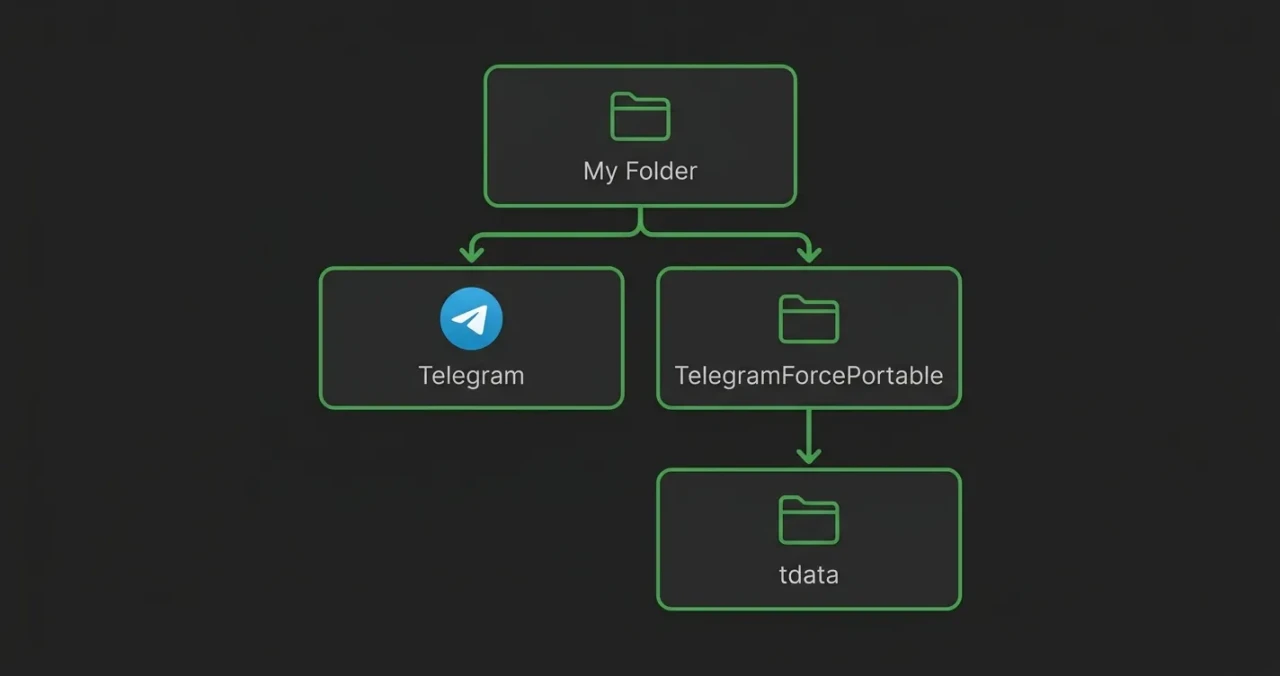
Folder structure: the app and the portable folder at one level, tdata inside
Step 1. Download Telegram Desktop
Go to the official website desktop.telegram.org and download the version for macOS. You will get a .dmg file.
Important: do not move Telegram to the Applications folder. Working with tdata requires a portable setup.
Step 2. Create a separate folder for the account
Create a new folder in any convenient place, for example on the Desktop. Name it so you can tell which account it belongs to.
Open the downloaded .dmg and drag the Telegram app into this new folder. Not into Applications, but into your own folder.
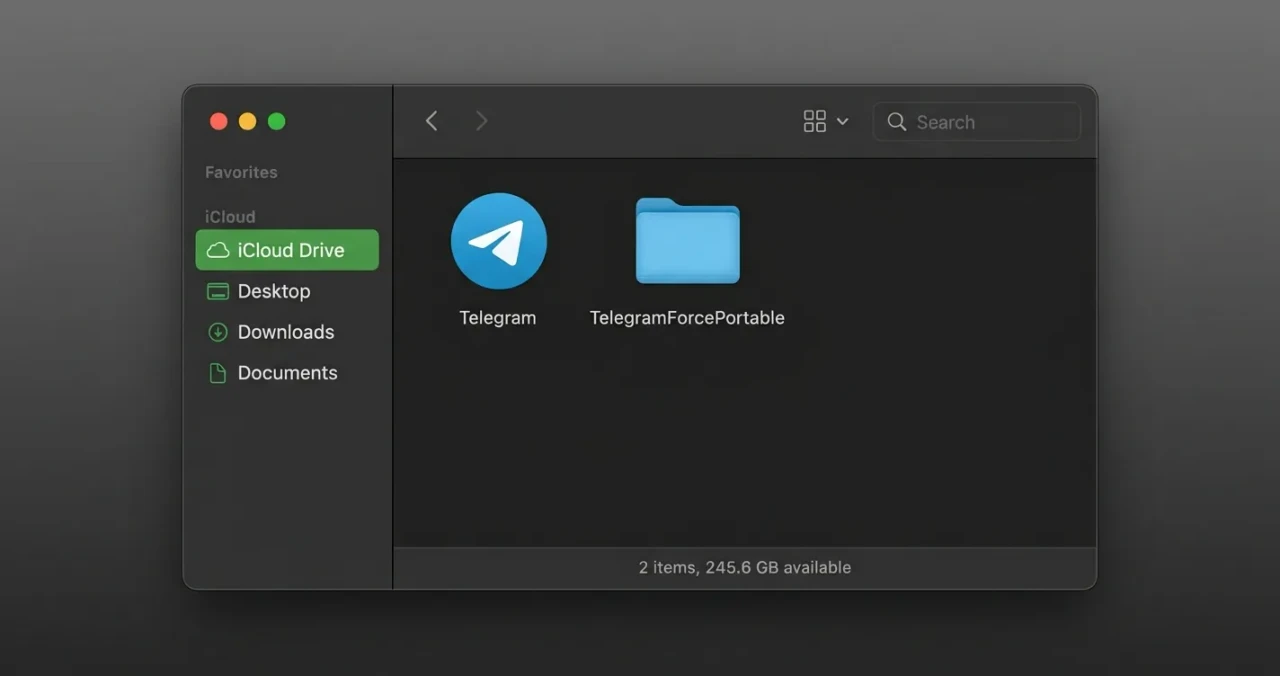
The app and the portable folder side by side in one Finder window
Step 3. Create the TelegramForcePortable folder
In the same folder where Telegram now sits, create another folder named TelegramForcePortable. The name must match exactly, with no spaces or typos.
This is where Telegram will store session data instead of the system Library directory.
Step 4. Launch Telegram and create tdata
Launch Telegram from your folder. After the first launch, a tdata folder will appear inside TelegramForcePortable.
Close Telegram completely so the system doesn't lock the files.
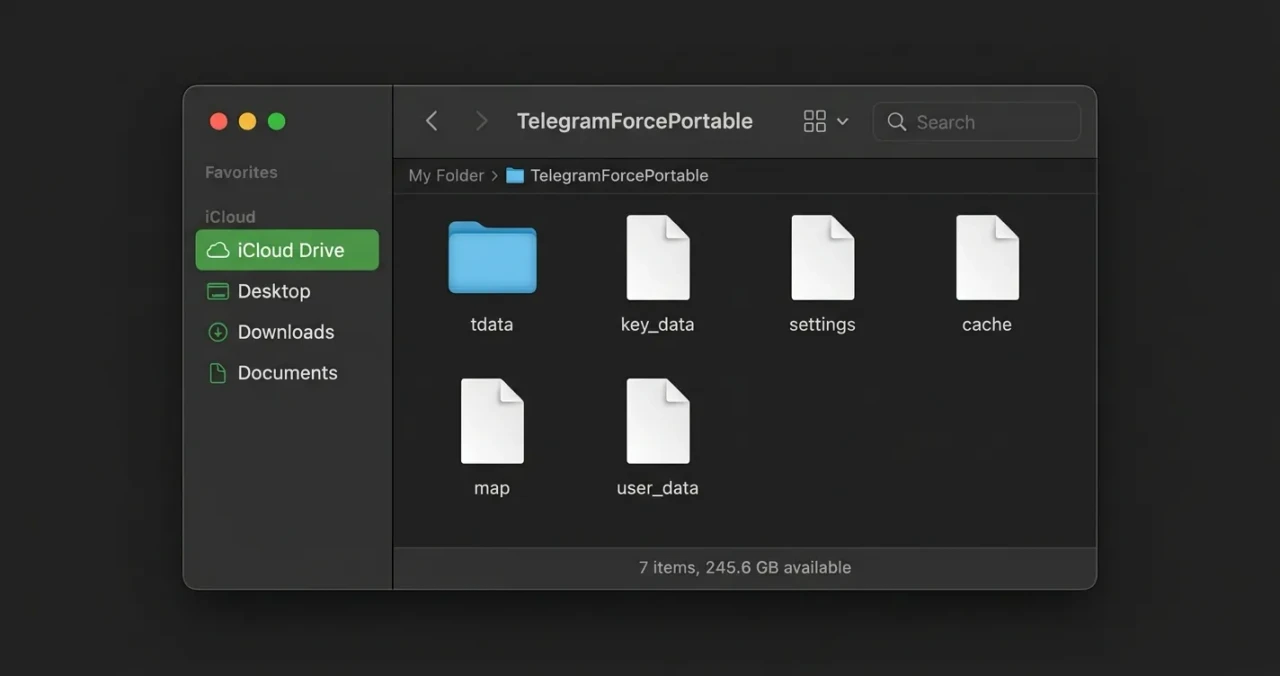
Inside TelegramForcePortable there is the tdata folder with session files
Step 5. Replace tdata with your own
Delete the contents of the tdata folder that was created automatically. In its place, copy the tdata folder from the account bundle.
Launch Telegram again. If the session is valid, you will land directly inside the account, without the phone number window.
Why login may fail
The phone number window opens. This means the session inside tdata is not working: the account logged out, was blocked, or the folder is corrupted.
AuthKeyDuplicatedError. This appears if the same tdata session is launched on two devices or servers at the same time. Telegram blocks such a key, and it cannot be used again. You need a new tdata or a backup copy.
The TelegramForcePortable folder is misspelled. Check that the name has no extra spaces or characters. Telegram is sensitive to this folder name.
Not the Desktop version. The mobile app, the web version or the App Store version does not work with tdata. You need exactly Telegram Desktop from the official site.
Security
The tdata folder is a key to the account. Anyone who gets access to it can log into the profile without a password or confirmation code. Do not share tdata with third parties, do not store it in plain form in cloud storage, and do not run the same folder on two devices at once. If the session is compromised, end all active sessions in Telegram settings and change the password.
Conclusion
Logging into Telegram on macOS via tdata is a quick way to move an account without codes and confirmations. The main thing is to use Telegram Desktop, create the TelegramForcePortable folder and replace the session data. If you do not have a working tdata, ready-made accounts in this format can be found at zfxshop.biz.