
Multi-Account Management in 2026: A Pro Guide for SMM
Multi-Account Management in 2026: How to Run Multiple Social Media Accounts Professionally
An agency with a dozen clients, a brand with regional pages, an online store with a separate account for each product line: all of them work with several social media profiles at once. Once you pass three or four accounts, keeping everything in your head stops working. Logins get mixed up, client messages get lost and the risk of mistakes grows. This article explains what multi-account management is, which tools support it, how to organize a team and how to build a secure, stable workflow.
If you need ready-made accounts for different projects, clients or brands, you can find them at zfxshop.biz. It saves time on registration and warm-up.
What multi-account management is and why businesses need it
Multi-account management means running several accounts on one or more social networks, either as one specialist or as a team. It's a normal part of the job, and platforms support it in their apps and business tools. For example, the Instagram app lets you add up to five accounts and switch between them without logging out, Telegram supports three accounts per app (four with Premium), and YouTube lets you run several channels through Brand Accounts.
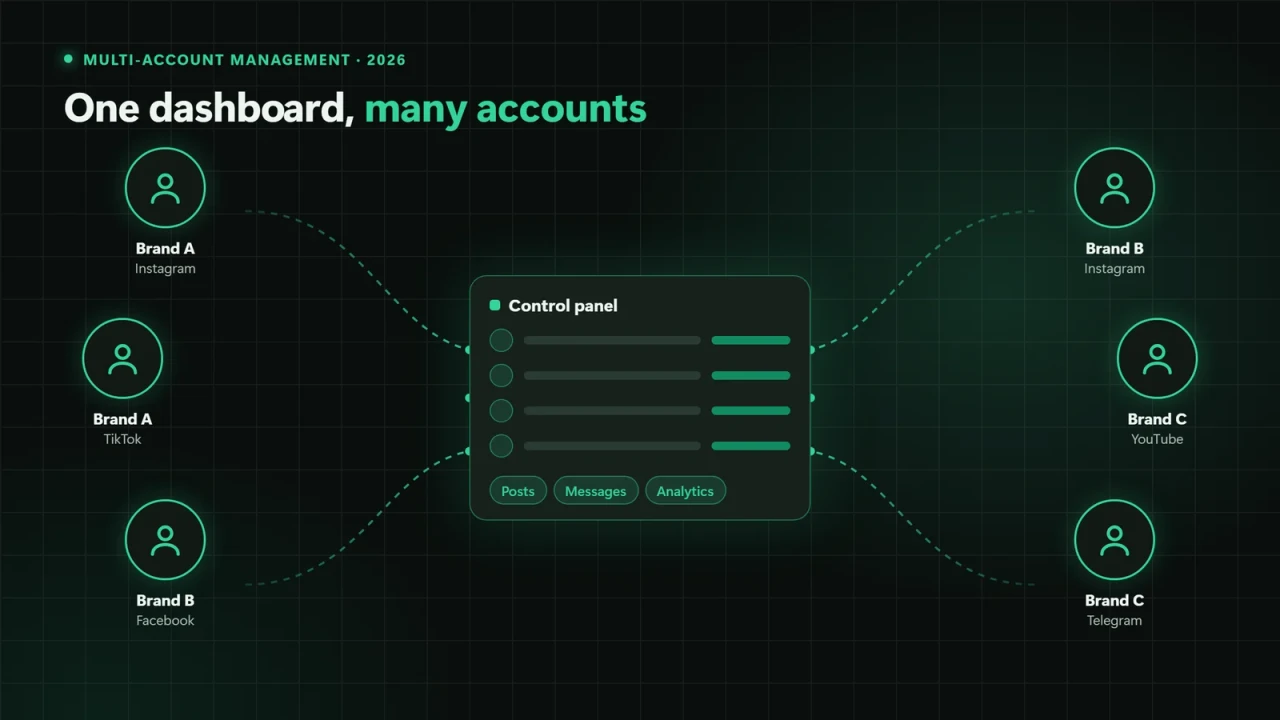
All accounts in one control panel: posts, messages and analytics in one place
Who needs it
SMM agencies and freelancers who manage social media for several clients at once.
Brands with several business lines: separate accounts for countries, languages, product lines or franchises.
Online stores and marketplace sellers with several shops or brands.
Media outlets and experts who grow a founder's personal brand alongside the company account.
What problems it solves
A well-organized multi-account setup saves the time spent switching between profiles, reduces the risk of posting to the wrong account and helps you answer customers faster. It also gives managers a clear picture of who runs which account, what has been published and what results it brought.
For a business, it's also about scale. An agency with documented, partly automated account workflows can take on new clients without growing the team at the same rate. A brand with regional accounts gets one quality standard: the same response times, a consistent visual style and unified reporting. And when an employee leaves, the accounts don't leave with them, because access belongs to the company rather than one person.
Tools for managing multiple accounts
A professional multi-account stack usually has four layers: the platforms' official business tools, scheduling services, an isolated browser environment and security tools.
Official business tools
This is the foundation. Meta's business portfolio (formerly Business Manager) manages Facebook Pages, Instagram accounts and ad accounts with role-based access. On TikTok, Business Center does the same job, while YouTube Studio has a Permissions section where you can invite channel managers and editors. In Telegram, every channel has admins with configurable rights. The main advantage of official tools is that each person works from their own account, and the owner can revoke access at any time.
Scheduling services and SMM managers
Tools such as Hootsuite, Sprout Social, Buffer and Later bring accounts from different platforms into one interface, with a shared content calendar, a unified inbox for comments and messages, and combined analytics. Choose services that connect through official APIs: no passwords are shared, and the platform sees the connection as authorized.
Multi-profile (antidetect) browsers
When an SMM specialist runs dozens of accounts in the web versions of social networks, a regular browser isn't enough: cookies from different clients mix, and constant logging in and out wastes time. Multi-profile browsers, often called antidetect browsers (for example Multilogin, GoLogin or AdsPower), solve this. Each profile is a separate isolated environment with its own cookies, cache, local storage and set of browser parameters, also known as a fingerprint.
Each profile is a separate environment with its own cookies, cache and browser settings
For an agency, this brings three practical benefits:
Client isolation. Sessions for different brands never overlap, so there's less risk of posting to the wrong account.
Team access. A profile can be shared with a colleague inside the browser without sending a password over chat.
Order. Profiles are labeled, grouped by client and show who worked with them and when.
Proxy servers
A proxy is an intermediate server your browser uses to connect to the internet. In multi-account work, it gives each profile a stable IP address. Social networks track where logins come from: if a German client's account is opened from different countries and networks in a single day, the platform may ask for an extra security check. A pinned IP in the client's country keeps things predictable.
"One profile, one pinned IP" keeps login locations stable
When choosing proxies, look at the address type (datacenter, residential or mobile), whether it's static or rotating, and the provider's reputation. Static addresses usually suit account management. Avoid free proxies: they can leak traffic, including login data.
Keep in mind that isolated browsers and proxies are about order and security. How many accounts you can run and how you may use them is still defined by each platform's rules, so review them before launching a project.
Password managers and two-factor authentication
Password managers like Bitwarden or 1Password let you keep a unique password for every account and share them through team vaults with separate permissions. Set up two-factor authentication with an authenticator app rather than SMS, so codes aren't tied to one employee's personal phone number.
Which tools you need for your team size
You don't have to adopt everything at once. Grow your stack with the number of accounts and people:
| Setup | Minimum toolkit | What to add as you grow |
|---|---|---|
| Freelancer, 3-5 clients | platform business tools, password manager, 2FA | a scheduling service |
| Small agency, 5-20 accounts | scheduling service, team password vault, account registry | a multi-profile browser for web versions |
| Large agency, 20+ accounts | multi-profile browser, static proxies, access policies | activity logs, regular audits, unified reporting |
The key principle: every new tool should solve a specific problem, such as wasted time, mixed sessions, password leaks or a lack of transparency. If the problem isn't there, an extra service only adds complexity.
How to organize team work across multiple profiles
Tools alone don't create order. Order comes from the rules your team follows when working with accounts.
Shared dashboard and roles: everyone works under their own name and the owner sees the activity log
Roles and permissions
Follow the principle of least privilege. The business owner or account manager gets the admin role, the content manager gets editor access, the analyst sees only insights, and the moderator handles messages and comments. If someone only publishes posts, they don't need access to the ad account or payment details.
Account registry
Keep one spreadsheet that lists, for every account:
| Field | Why it matters |
|---|---|
| Platform and link | find the right profile quickly |
| Owner and legal entity | who the account belongs to |
| Recovery email and phone | must belong to the client, not an employee |
| 2FA status | shows where protection isn't on yet |
| Responsible team member | who runs the account now |
| Browser profile and proxy | where logins come from |
Content calendar and approvals
With many accounts, posts are easy to mix up or forget. A shared content calendar with color-coded clients and statuses like "draft," "in review," "approved" and "published" fixes that. Run client approvals in the calendar or scheduling tool rather than in private chats, so the full edit history lives in one place and new team members can catch up quickly.
Client separation
Each client's assets should live in the client's own business account, with the agency working through partner access. When the contract ends, the client simply revokes access, and nobody has to "hand over" accounts. Inside the agency, each client gets separate profile folders, content calendars and communication channels.
Onboarding and offboarding
New hires get access through roles on their first day, and leavers lose it on their last. Offboarding checklist: roles in business tools, browser profiles, the team password vault, scheduling tools and shared client chats.
Common beginner mistakes
1. Passwords in chat apps. Shared passwords in messages are the most common source of leaks.
2. Client accounts registered to an employee. If the recovery email belongs to a freelancer, the business may lose access when they part ways.
3. No two-factor authentication, or codes going to one person's personal phone.
4. Chaotic logins. An office laptop today, a phone on the road tomorrow, another country the day after: this triggers security checks.
5. Free proxies and unvetted extensions that can access browser data.
6. Automation tools without an official API. Bulk actions through unofficial tools can lead to account restrictions.
7. Identical content across accounts. Copying posts lowers reach and blurs each brand's positioning.
8. No registry. Six months later, nobody remembers which email belongs where or who last changed a password.
How to build a secure, stable workflow
Five baseline protections to put in place for every account
1. Two-factor authentication everywhere, via an authenticator app, with backup codes kept by the account owner.
2. Unique passwords in a password manager with team vaults per client.
3. Roles instead of passwords wherever the platform supports it.
4. A stable login environment: a pinned browser profile and IP for each account.
5. Official tools: scheduling and analytics services connected through APIs.
6. A monthly access audit: who has roles, which services are connected, whether the registry is up to date.
7. An incident plan: who changes passwords, ends sessions and contacts support, and in what order, if an account is hacked.
8. Content backups: keep source files outside social networks so you don't depend on a single account.
FAQ
How many accounts can one SMM specialist manage?
There's no universal number: it depends on posting frequency, message volume and content complexity. In practice, one specialist comfortably runs 5-10 accounts with regular content. Beyond that, split the work between a content manager, a moderator and an analyst.
Do I need a multi-profile browser?
Not necessarily. If you manage accounts through official business tools and scheduling services, you may not need one. It helps when a team constantly works in web versions of social networks across many profiles and needs to keep client sessions separate.
Do I need proxies if everyone works from one office?
If clients' accounts are in the same country as the team and logins come from the same devices, proxies are often unnecessary. They matter when staff work remotely from different places or manage accounts for clients in other countries.
Who should own the accounts an agency manages?
The client. The email, recovery phone and owner rights should stay with the business, while the agency works through roles and partner access. This protects both sides and makes ending the contract simple.
Where can I get accounts if I need to run several projects at once?
Ready-made accounts for various platforms and brands can be found at zfxshop.biz. It's handy when you need to launch several profiles quickly without spending time on registration and warm-up.
Conclusion
In 2026, multi-account management isn't a bag of tricks but a management discipline. Its foundation is official business tools and roles. On top of that sit scheduling services, isolated browser profiles and stable proxies, all protected by two-factor authentication and clear policies. With this approach, one specialist or a small team can confidently run dozens of accounts without losing access or risking clients' reputations.